1. Overview of SmartAds Tracking Pixel
Tracking Pixel or Pixel code is a small snippet of code embedded into a website that enables the collection of user behavior data such as page views, button clicks, form submissions, or purchases. This data is sent back to the advertising platform to measure campaign performance, analyze conversions, and optimize digital marketing activities.
SmartAds Pixel is a proprietary tracking pixel developed by SmartAds, allowing businesses to accurately capture user actions after they interact with ads within the SmartAds ecosystem. You can access this feature via the  tab or directly on the Tracking Conversion page. The SmartAds Pixel creation interface is illustrated below:

With tracking pixels, brands can gain deeper insights into the customer journey, optimize advertising performance, and improve conversion rates. In particular, data collected via SmartAds Pixel serves as a critical foundation for deploying retargeting ads—re-engaging users who have previously interacted with the brand, reinforcing brand recall, and driving purchase intent.
2. What are Retargeting Ads?
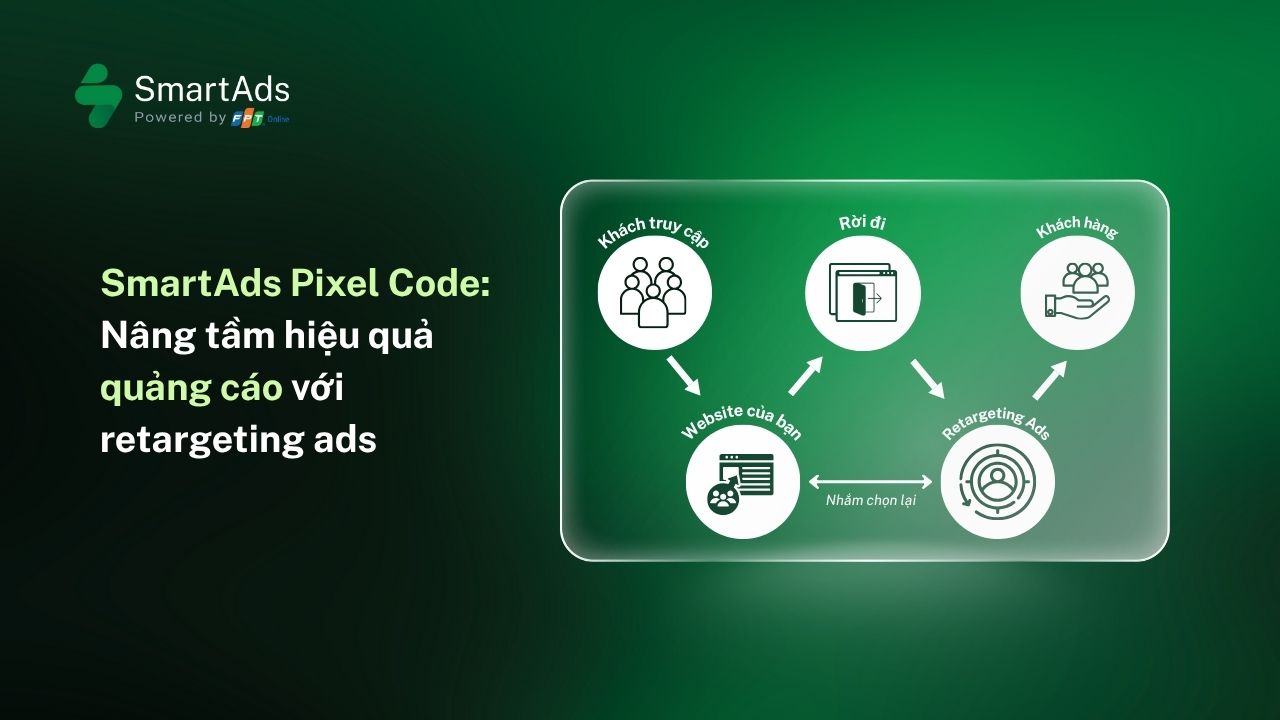
Retargeting ads are a form of online advertising that allows brands to re-display messages to users who have previously interacted with them—such as visiting a website, viewing a product page, or adding items to a cart without completing a purchase. Unlike traditional targeting campaigns focused on acquiring new users, retargeting leverages prior user behavior captured through tracking pixels to reconnect with high-intent audiences.
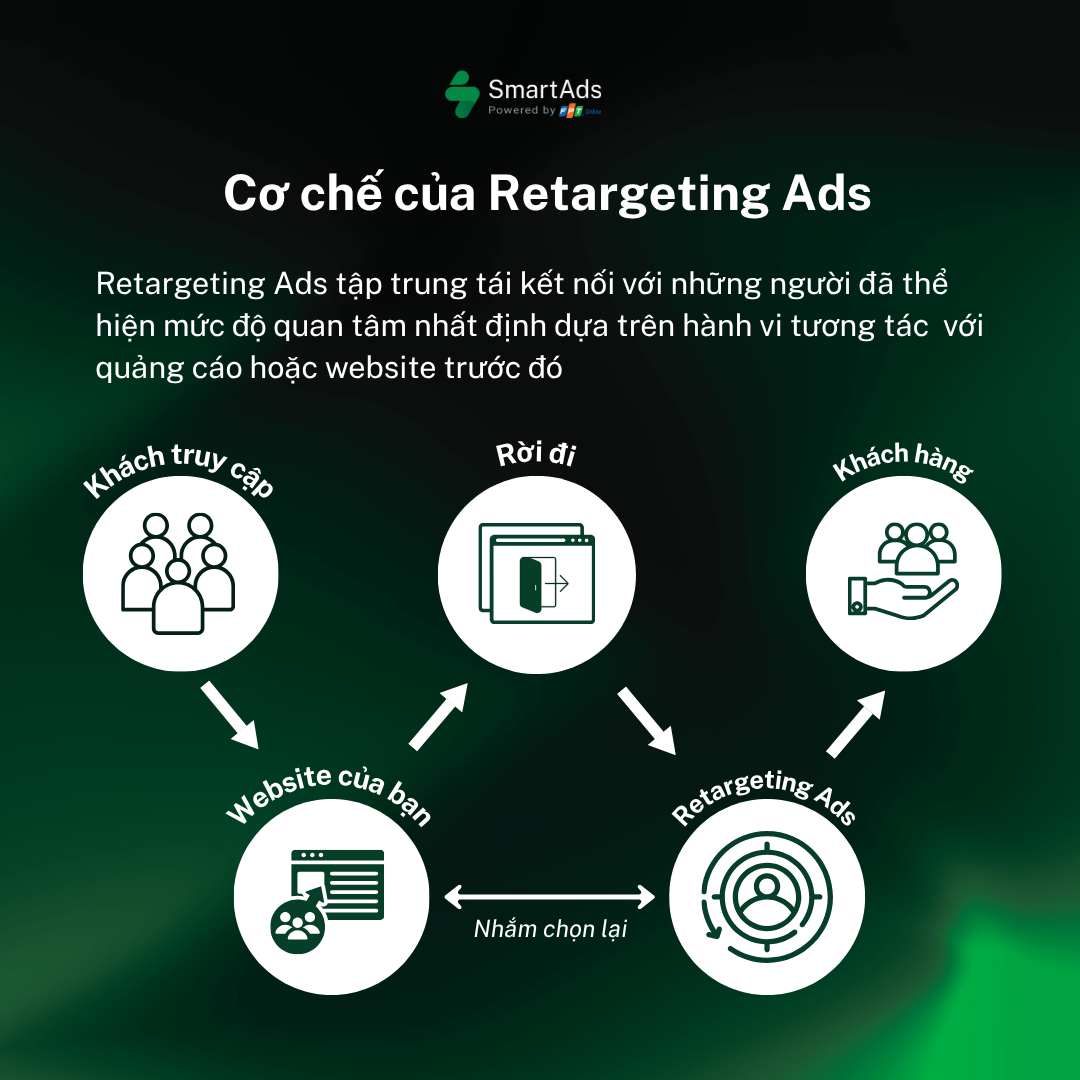
Data collected from tracking pixels enables the system to identify users based on their interaction patterns and deliver relevant ads across multiple channels. As a result, brands can extend touchpoints throughout the buying journey while maintaining consistent, personalized messaging across the digital advertising ecosystem.
3. How SmartAds Pixel Works in Retargeting Advertising
In essence, SmartAds tracking pixels operate through the following six-step mechanism:
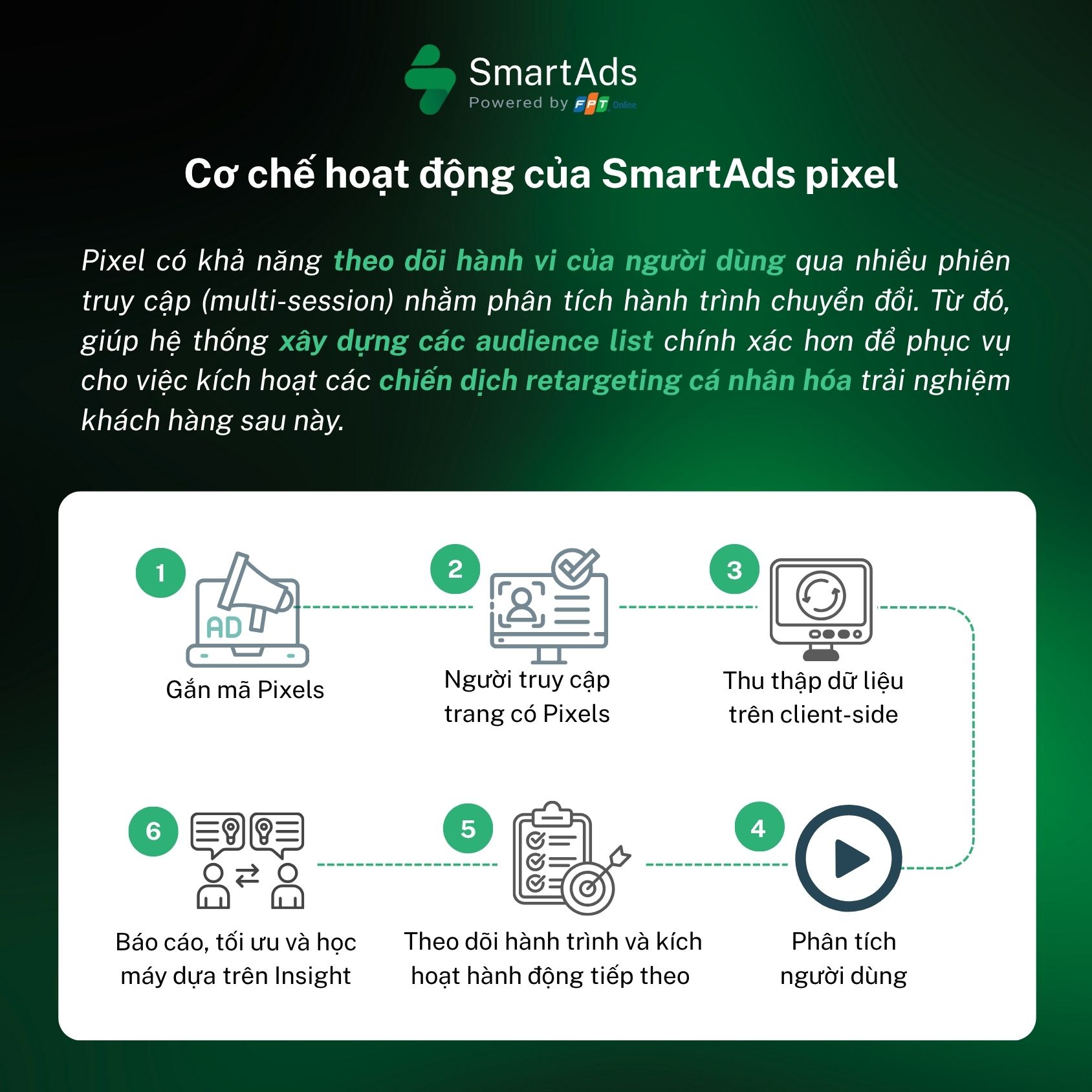
Step 1: Pixel Implementation (Putting Pixel)
Developers or advertisers embed a small code snippet provided by the advertising platform into the website. The pixel can be placed directly into the HTML or deployed via a tag manager such as Google Tag Manager or Tealium.
>>> Learn how to implement Pixel Code using two methods here.
Note: Ensure the pixel loads reliably without slowing down page performance. Avoid embedding excessive tracking scripts on a single page, as this may negatively impact load speed. Typically, pixel code is paired with defined events mapped to specific ad placements and actions such as view_page, add_to_cart, purchase, form_submit, etc. Clearly categorizing events by tracking objectives simplifies campaign management and performance measurement.
>>> Event classification in Google Analytics 4.
Step 2: User Visits a Pixel-Enabled Page (User Visit Trigger)
When a user visits the site, the browser loads the page and triggers the embedded JavaScript or image pixel.
Step 3: Client-Side Data Collection (Collecting Info)
Depending on configuration, the pixel collects the following data types:
-
Technical information: user-agent (browser), device type, screen resolution, language.
-
Traffic source: Direct, referrer, paid, organic, UTM parameters.
-
Cookie / localStorage ID: for tracking anonymous users across sessions.
-
On-site actions: clicks, form submissions, time on page, scroll depth, add-to-cart, purchases (optionally including order value and product IDs).
Note: SmartAds standardizes collected data to comply with data security requirements and avoids transmitting unencrypted sensitive PII.
Step 4: User Analysis (Learning About Users)
Based on collected data, the system categorizes users according to behavioral patterns:
-
Potential customers
-
Converted customers
-
Browsers who have not yet converted
-
Previously engaged users and associated events
If the website supports user login, collected data can be mapped to internal user IDs and enriched with CRM, DMP, or third-party data to form a comprehensive CDP, including demographic and audience segmentation insights.
Step 5: Journey Tracking & Action Activation (Watching Action)
Using predefined audience lists (e.g., users who viewed Product A within the last 7 days), advertisers can activate tailored retargeting campaigns on SmartAds. The tracking pixel sends requests to the ad server, enabling the system to determine which users should see specific ads.
The pixel supports multi-session tracking to analyze conversion journeys, allowing SmartAds to build more accurate audience segments and deliver highly personalized retargeting experiences.
Step 6: Reporting, Optimization & Machine Learning Insights (Useful Insights)
Through the tracking pixel system, all behavioral and performance data is aggregated into detailed reports covering metrics such as CTR, conversion rate, CPA, and more. These insights help advertisers identify the most effective channels and feed into machine learning algorithms to further optimize ad delivery. As a result, retargeting ads become increasingly precise and conversion-driven.
Within the SmartAds ecosystem, pixels function as a bridge between brand websites and premium publisher networks. For example, when a user clicks an ad on VnExpress, views a product on a brand website, and later visits Tuổi Trẻ or Vietnamnet, SmartAds Pixel enables the system to display the exact product ad again—reinforcing relevance and purchase intent.
4. What’s the difference between UTM Tracking and SmartAds Tracking Pixel?
While both serve marketing measurement purposes, UTM Tracking and SmartAds Tracking Pixel differ in functionality, data depth, and application.
-
UTM Tracking: UTM (Urchin Tracking Module) parameters are appended to URLs to track traffic sources. They help analyze campaign, channel, and link performance. On SmartAds, UTM parameters can be generated directly during campaign setup to streamline workflows for advertisers.
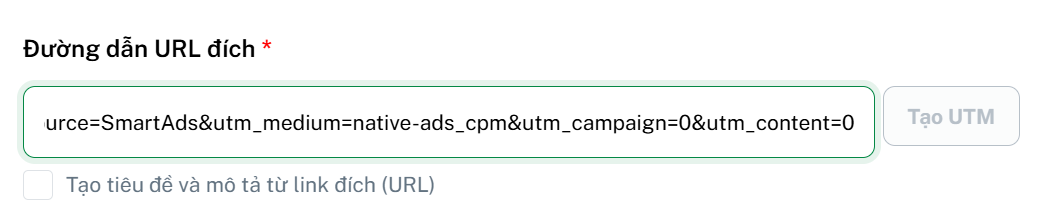
- Tracking Pixel: Embedded directly into the website, tracking pixels send behavioral data back to the platform’s server. On SmartAds, pixels are primarily used to track post-visit user behavior and enable retargeting campaigns.
In summary:
-
UTM answers: “Where did they come from?”
-
Pixel answers: “What did they do after arriving?”
5. How Can Retargeting Ads Deliver a Positive User Experience?
A successful retargeting campaign requires not only accurate data, but also thoughtful experience design.
-
Avoid over-personalization: Ads that feel overly intrusive—such as revealing precise locations or personal details—can create discomfort. Personalization should focus on general behavior, not sensitive data.
-
Maintain brand consistency: Personalization should never compromise brand voice. Messaging must remain consistent in tone, color, and emotional appeal.
-
Ensure data transparency: Brands should clearly communicate cookie and pixel usage, giving users control over their data. Transparency is essential for maintaining trustworthiness in modern digital marketing.