I. Introduction to Display advertising
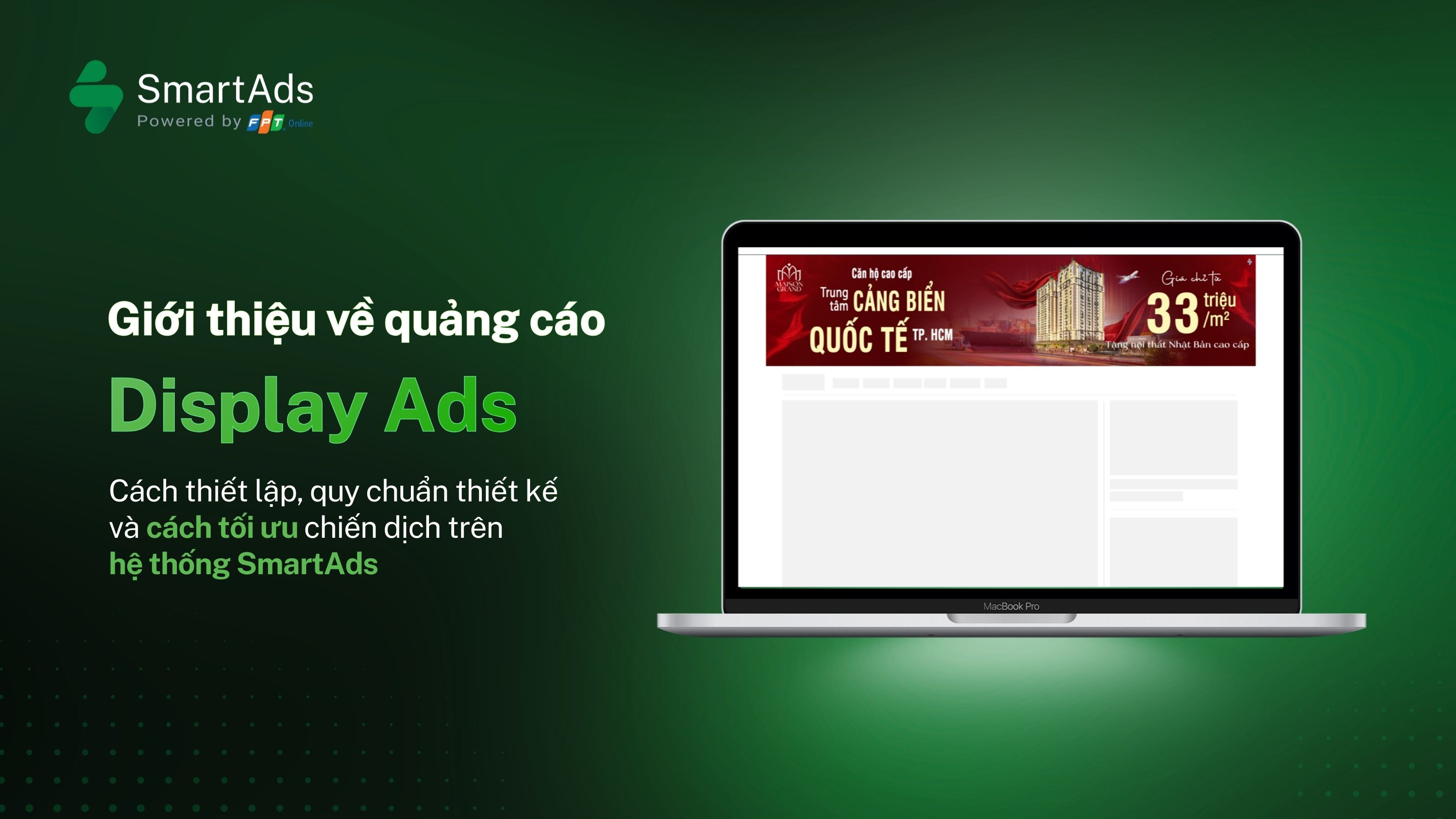
Display advertising enables brands to deliver messages through image banners or HTML5 creatives, appearing across multiple placements on online news websites. Each banner is linked to a specific destination URL, helping direct users to a website, landing page, or any desired campaign content.
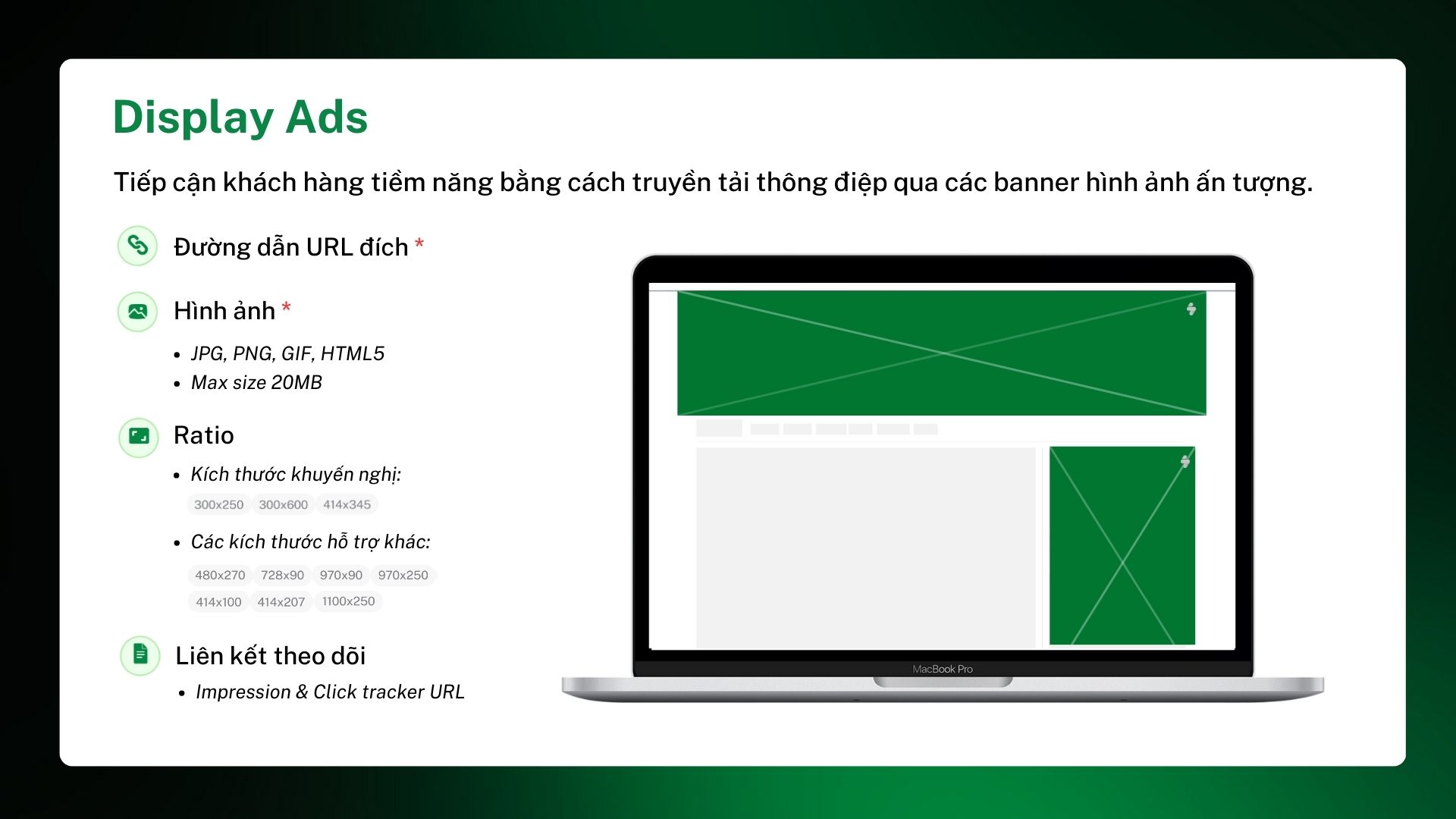
Display advertising on SmartAds supports a wide range of sizes and formats, allowing banners to adapt flexibly to publisher layouts and user reading behavior across both desktop and mobile devices.
1.1. Display ads support multiple marketing objectives
The display format is suitable for various industries and business needs, from large enterprises to SMEs. Display ads can be used to:
-
Increase brand awareness
Display banners in high-visibility placements to ensure consistent exposure to target audiences. -
Drive traffic to landing pages
Attach banners directly to destination URLs to guide users to websites, landing pages, or campaign microsites. -
Deliver concise and visual messaging
Leverage visuals, colors, and layout to communicate messages quickly without disrupting the reading experience. -
Support product launches or awareness campaigns
Ideal for high-reach phases such as new product launches, seasonal campaigns, or long-term branding efforts. -
Integrate with other ad formats
Display ads can run alongside Native Ads or Video Ads to create a multi-touchpoint user journey.
1.2. Display ad placements and visibility
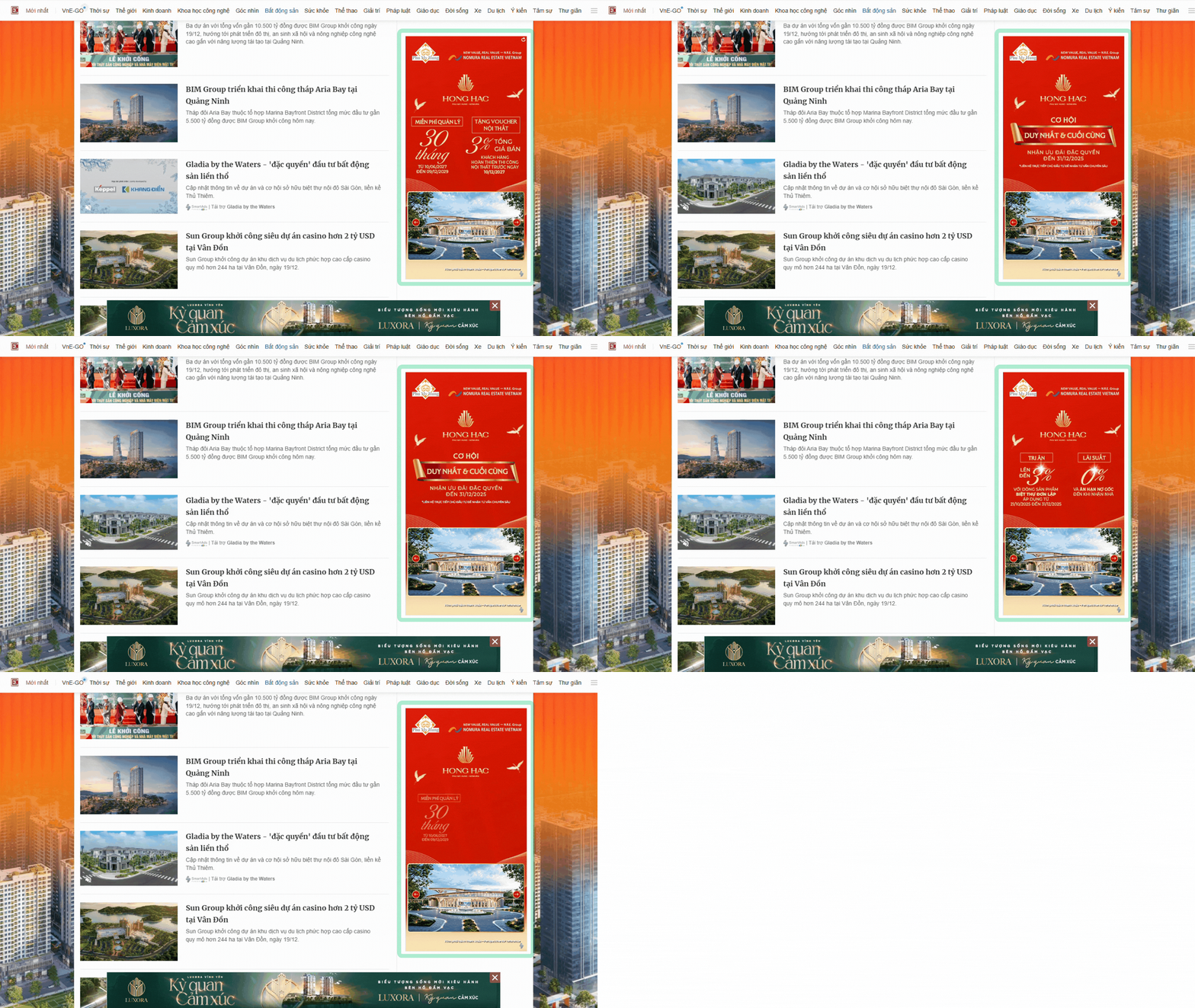
SmartAds display ads are distributed across a network of online publishers, appearing in various positions such as top of page, in-article, sidebar, or footer, depending on publisher layouts and selected banner sizes.
II. How to set up Display ads on SmartAds
To effectively launch a display advertising campaign, businesses can follow these simple steps:
-
Step 1: Click the "Add campaign" button
-
Step 2: Select “Display Ads” and click "Apply" to set up creatives
-
Step 3: Name your campaign and choose campaign objectives
-
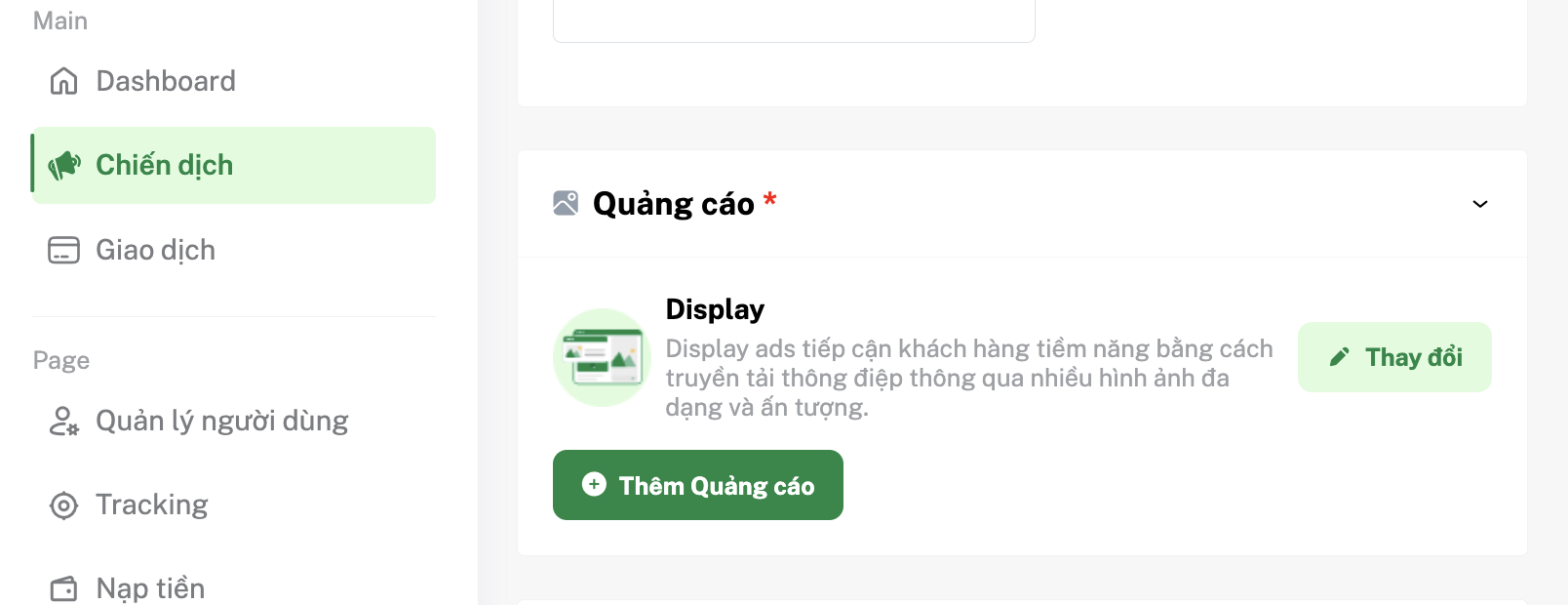
Step 4: In the Ads* section, click "Add ad". To change ad format, click "Edit"
-
Step 5: Upload banner creatives and add the destination URL
-
Step 6: Select targeting options that match your target audience
-
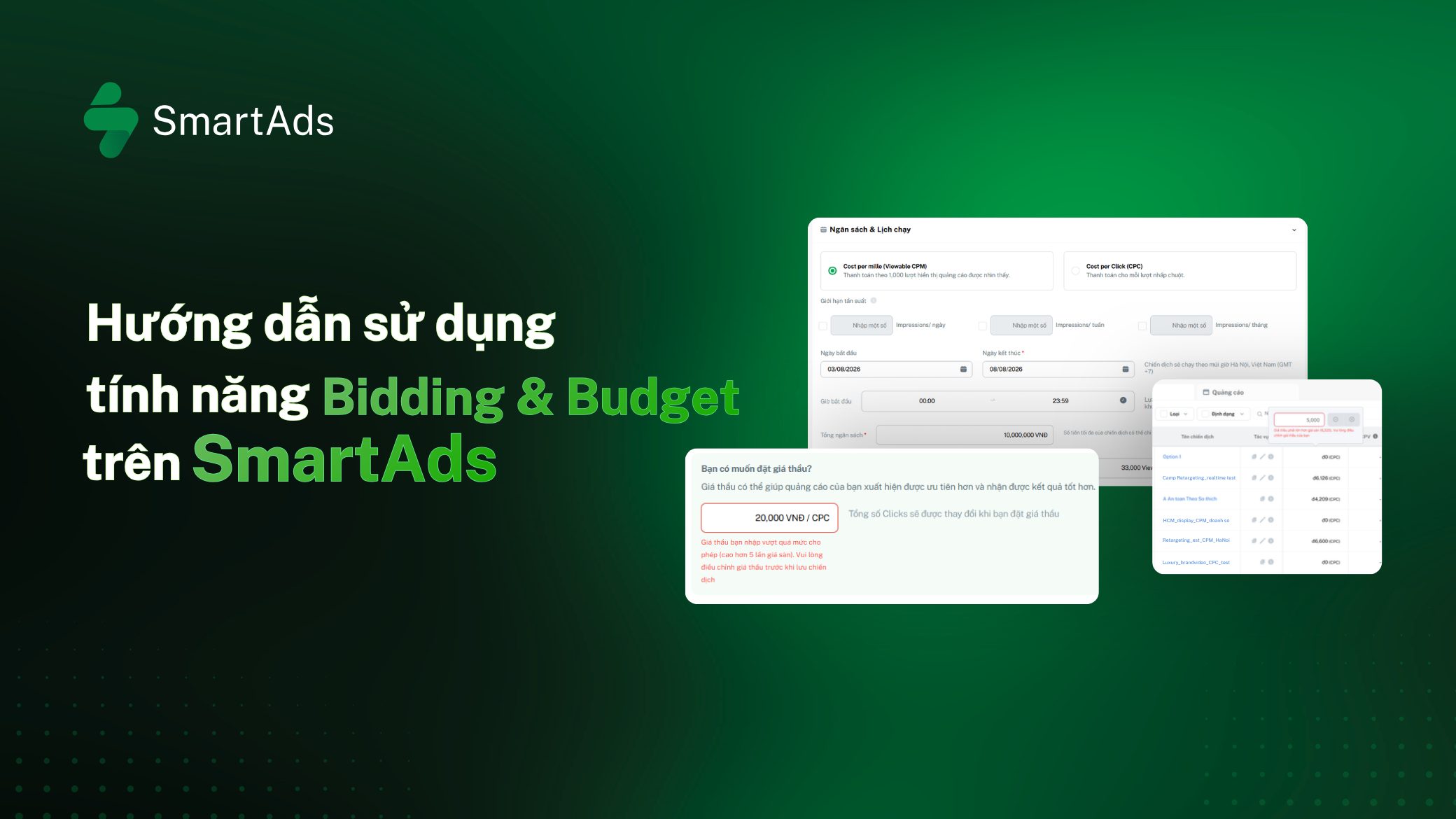
Step 7: Set campaign budget and bidding strategy
-
Step 8: Configure UTM tracking (if needed) before submitting the ad
Note: Ensure sufficient account balance and valid advertising permissions before launching your campaign.
III. Display ad design specifications
On the SmartAds platform, display ads appear as image banners or HTML5 creatives across multiple placements on publisher websites. Each banner is linked to a destination URL, enabling tracking of impressions and clicks.
Below are the design specifications for display advertising on SmartAds.
Display banner design requirements:
-
Content format: Static or animated image banners, HTML5 supported for interactive creatives
-
File formats: JPG, PNG, GIF, HTML5
-
Maximum file size: Up to 20MB per banner
Banner sizes and ratios:
SmartAds supports multiple banner sizes to ensure optimal display across different publisher layouts.
-
Recommended sizes: 300 x 250, 300 x 600, 414 x 345
-
Other supported sizes: 480 x 270, 728 x 90, 970 x 90, 970 x 250, 414 x 100, 414 x 207, 1100 x 250
Note: Banners must follow standard dimensions to ensure proper rendering and avoid content cropping across placements.
Links and tracking:
-
Destination URL: Required to redirect users upon clicking the banner
-
Click tracker URL: Supports click tracking integration
-
Impression tracker URL: Supports impression tracking (if applicable)
Content and display guidelines:
-
Visual content should be clear and concise, avoiding overly small details that reduce readability
-
Key messaging should be placed in central or high-visibility areas
-
Avoid excessive text to maintain a seamless reading experience
-
Colors and layout should align with the publisher’s interface to prevent visual disruption
>>> View additional advertising policies here.
IV. How to track Display ad performance on SmartAds
Once your campaign is live, you can monitor performance through key metrics such as impressions and engagement on the Campaign Management or Dashboard page.
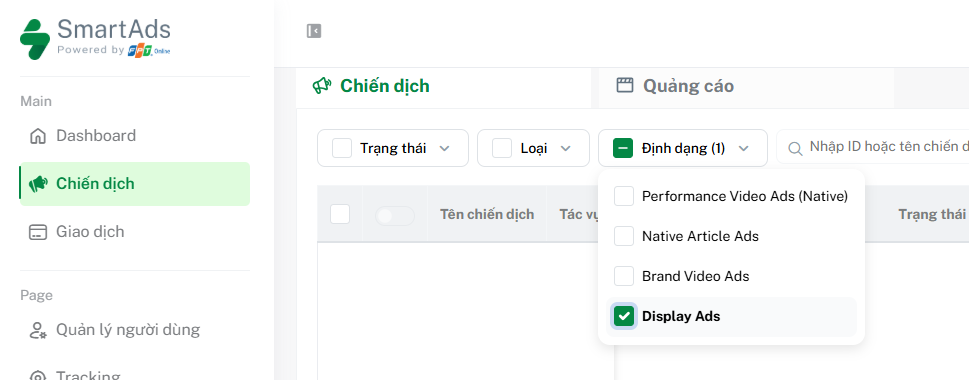
Here, you can filter by Display Ads format and scroll horizontally to view reports. For detailed insights by campaign or creative, click the icon  in the action bar to access detailed reporting.
V. How to optimize display ad campaigns
Below are key recommendations to help advertisers optimize display campaign performance on SmartAds:
-
Define clear goals & KPIs: Align each campaign with specific objectives such as brand awareness, lead generation, or conversions, supported by measurable KPIs.
-
Understand your audience: Analyze demographics, online behavior, and interests to ensure precise targeting.
-
Use multi-layer targeting strategies: Combine interests, keywords, custom audiences, and remarketing to balance reach and precision.
-
Optimize creatives with consistent branding: Maintain uniformity in colors, logos, typography, and tone of voice to enhance brand recall.
-
Use high-quality visuals: Ensure sharp imagery and clear layouts, avoiding blurred or obstructed visuals.
-
Keep messaging concise and impactful: Headlines should capture attention instantly, focusing on core value propositions.
-
Include strong CTAs: Use action-driven phrases like Shop now, Sign up, or Learn more to guide users.
-
Run A/B testing regularly: Test variations of visuals, headlines, descriptions, CTAs, and colors to identify top-performing creatives and reduce ad fatigue.
-
Personalize messaging: Leverage behavioral data (if available) to tailor content for different audience segments.
-
Monitor and analyze performance: Continuously track metrics such as impressions, clicks, CTR, and conversions to optimize campaigns in real time.
-
Ensure policy compliance: Adhere to platform guidelines regarding content, data privacy, and ad delivery standards.
VI. Display Ads pricing (effective from April 2026)
Pricing for display ads format (VAT included):
|
Minimum CPC bid (VAT included) |
Minimum CPM bid (VAT included) |
Site / group |
| 6,600 | 20,000 | All websites |
| 6,600 | 20,000 | All websites (Overseas targeting only) |
| 7,700 | 25,000 | Premium websites (VnExpress, Dan Tri, Thanh Nien, Tuoi Tre...) |
| 7,700 | 25,000 | English premium websites (English publishers) |
| 8,800 | 30,000 | VnExpress sites (including VnExpress.net & Ngoisao.VnExpress.net) |
| 7,700 | 30,000 | e.VnExpress site (English site: e.vnexpress.net) |
| 6,600 | 20,000 | Ngoisao (Ngoisao.VnExpress.net subsite) |
*Note:
SmartAds applies a fixed bidding mechanism. The listed pricing serves as a reference and represents the minimum bid on the platform. Actual campaign costs may vary depending on ad format, placement, booking period, and specific publisher selection.