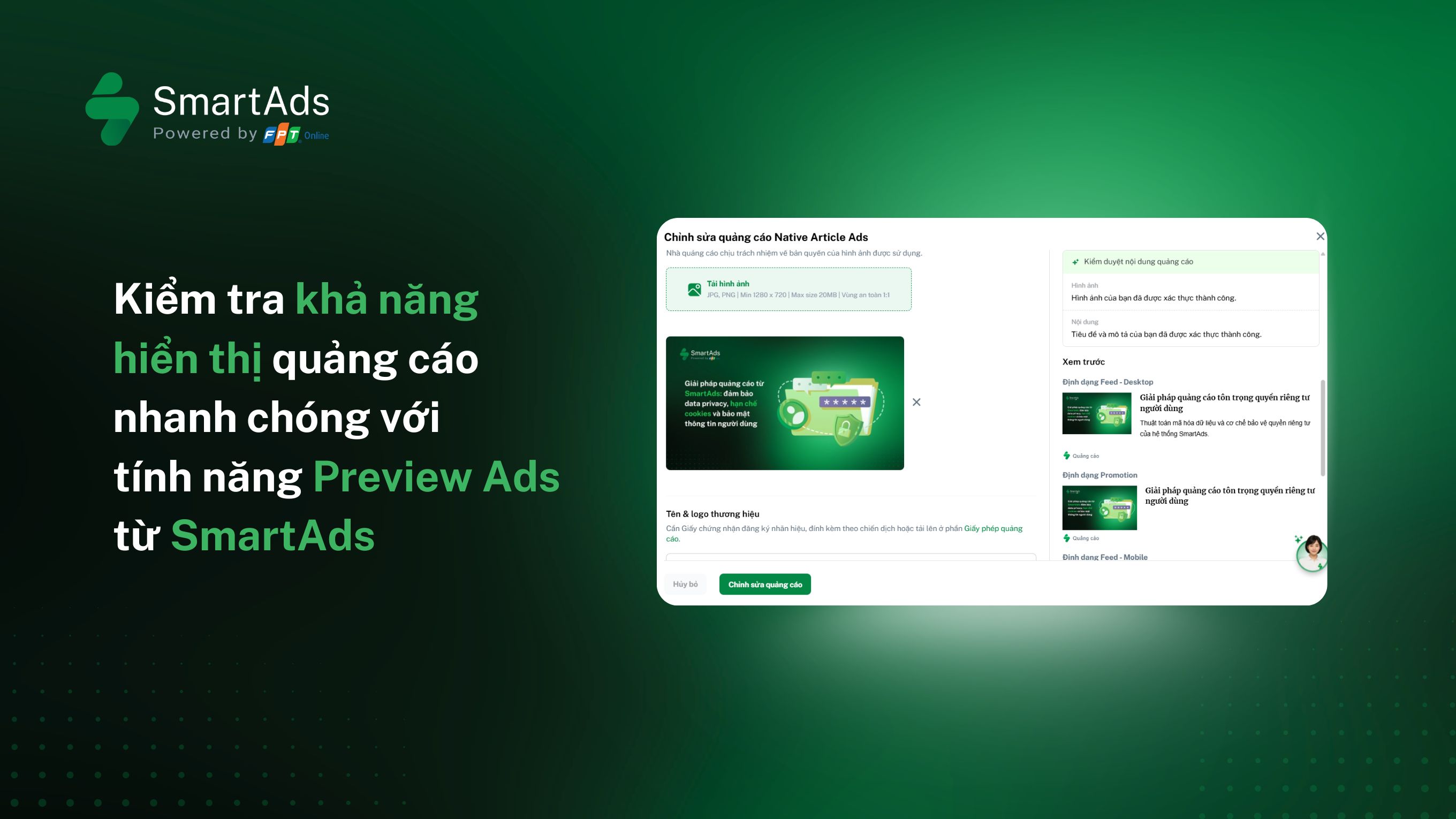
What is the Preview Ads feature?
Preview Ads is a feature of SmartAds that allows advertisers to preview how their advertising creatives are displayed across the system, from the campaign management interface to live demos on publisher websites.
With Preview Ads, advertisers can:
-
Proactively review creative display across different ad formats
-
Verify ad placement positions on publisher sites
-
Quickly perform ad verification without waiting for ads to appear randomly
-
Eliminate the need to manually find specific articles or rely on personal accounts that match the campaign targeting criteria
Currently, SmartAds supports two ad preview methods, each aligned with different stages and quality control needs throughout the advertising and marketing campaign lifecycle, as outlined below.
Method 1. Preview Ads within the SmartAds system
After completing creative setup, a creative preview is displayed directly in the SmartAds management interface. This preview appears in the right-hand panel, allowing advertisers to review ads in both Desktop (PC) and Mobile environments.
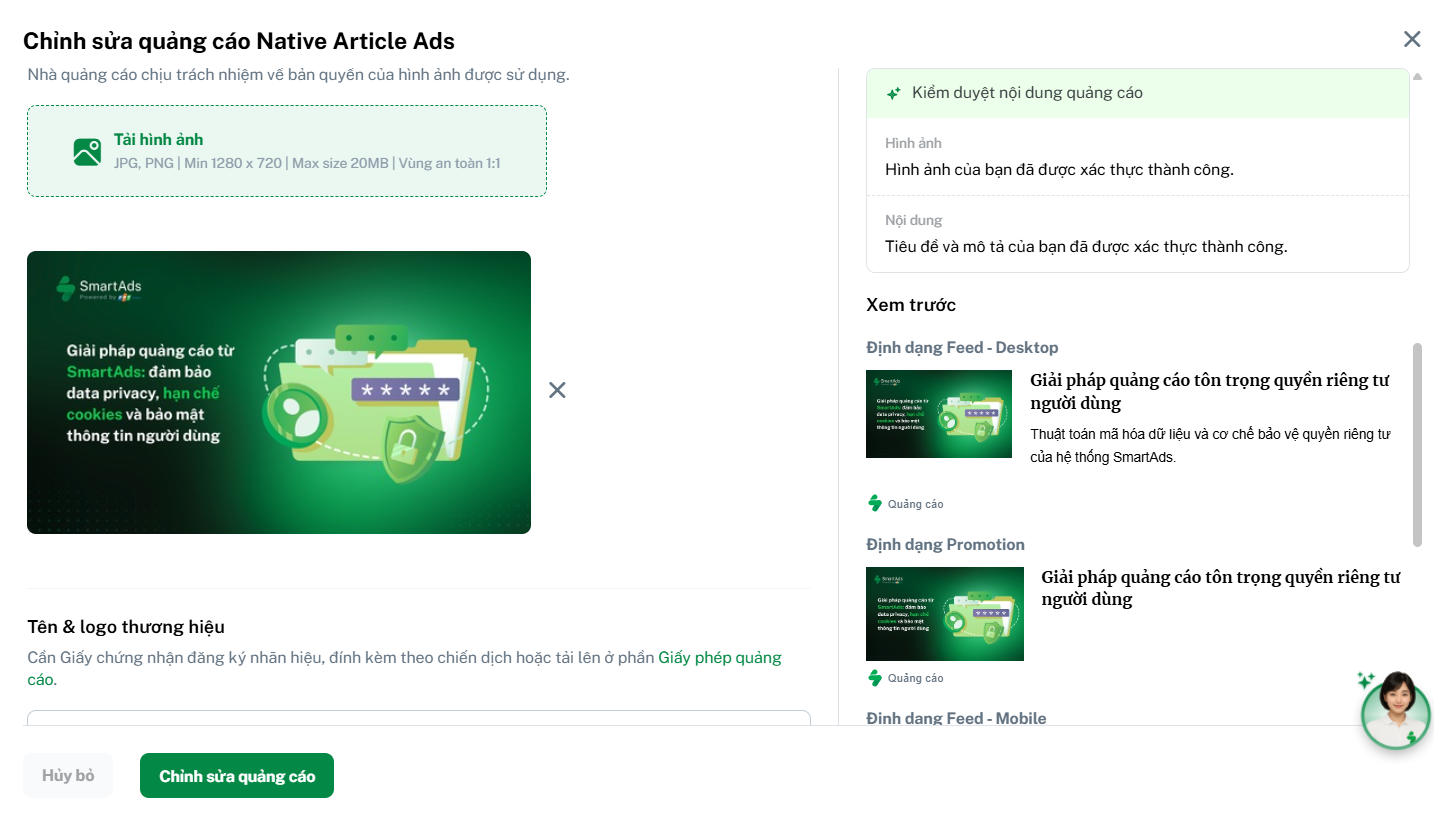
This preview method enables advertisers to quickly:
-
Check the overall ad layout and structure
-
Evaluate the relevance and clarity of headlines, descriptions, CTAs, and images or video assets
-
Identify potential display issues across different devices at an early stage
The in-system preview acts as a first-step creative review, helping advertisers visualize how their ads will appear once the campaign goes live.
Method 2. Preview ad creatives directly on publisher websites
In addition to the built-in preview, SmartAds also supports live ad previews on publisher sites, allowing advertisers to view ads in their actual placement environment on any website within the SmartAds publisher network.
The steps to preview ads directly on publisher websites are as follows:
-
Step 1: From the creative list, click the “Preview Ads” icon


-
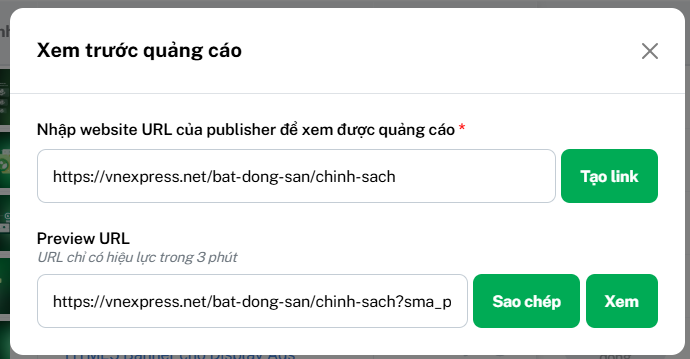
Step 2: A popup will appear. Enter the Website URL of any publisher site within the SmartAds network that you want to check, then click “Generate link”.
-
Step 3: The system will automatically generate a preview link. Choose Copy or View to open the link in a new tab and see how the ad is displayed live on the selected website.
Please note that this feature is only available when:
-
The creative has passed content approval
-
The campaign is actively running on the SmartAds platform
-
The preview link is valid for 3 minutes only. After that, the link will expire automatically.
Why is Preview Ads especially useful for overseas targeting or niche targeting campaigns?
For overseas targeting or niche marketing campaigns, advertisers using personal accounts often fall outside the intended target audience segments. As a result, ad quality checks using personal browsing behavior become unreliable. Advertisers may be unable to proactively locate the exact articles where their ads appear and instead have to depend on assumptions or indirect feedback.
By enabling direct ad verification on specific URLs within the SmartAds publisher network, Preview Ads allows advertisers to quickly validate ad visibility, placement accuracy, and delivery quality without being constrained by targeting conditions.
When should you use these two Preview Ads methods?
-
In-system preview: Ideal for creative review, layout validation, and format checks across devices during campaign setup.
-
Live publisher preview: Best suited for confirming real-world ad delivery, especially for overseas advertising, niche markets, and tightly targeted campaigns.
This ensures advertisers maintain full control over the ad experience and creative performance, even when they are not part of the intended target audience.